
Welcome to the Heat Press Training page!
Please make sure that you have completed the Makerspace Safety Training before beginning the machine-based trainings.
What is a Heat Press?
A heat press is a powerful tool used to transfer designs onto various surfaces, most commonly fabrics, using heat and pressure. This machine is ideal for applying custom graphics, logos, or text to items like t-shirts, hoodies, hats, and tote bags. Using a heat press involves placing a printed design—typically printed on transfer paper or vinyl—on the item and applying controlled heat and pressure, which bonds the design to the material. In a makerspace, the heat press serves as an essential tool for both hobbyists and entrepreneurs, allowing users to bring their creative designs to life with minimal setup, making it a great choice for both small runs and one-off custom projects.
Heat Press Training checklist:
- Read the Heat Press Guidelines
- Watch the Heat Press training videos
- Complete the Heat Press training quiz

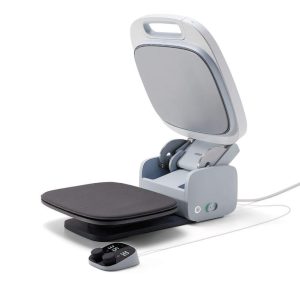
The Cricut Autopress is a heat press that automatically adjusts pressure based on the material thickness and opens automatically when the pressing cycle is complete. This eliminates the need for manual pressure adjustments and helps ensure consistent heat transfers.
Training Videos:
Introducing the Cricut Autopress
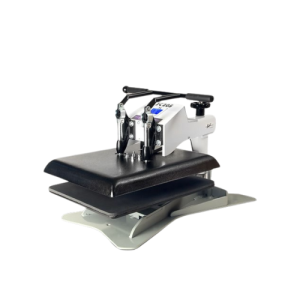
The DK20S is a 16″x20″ digital swing-away heat press machine, known for its heavy-duty, solid steel framework and accurate digital temperature control. It’s a popular choice for apparel decorators and other heat transfer applications.
Training Videos:
Heat Press Training Playlist

1:00
10:35
2:15

2:59
2:05
10:10
Questions about this training? Contact our Makerspace staff below.